Access the Invite Employees page to set up employees to use the PWA.
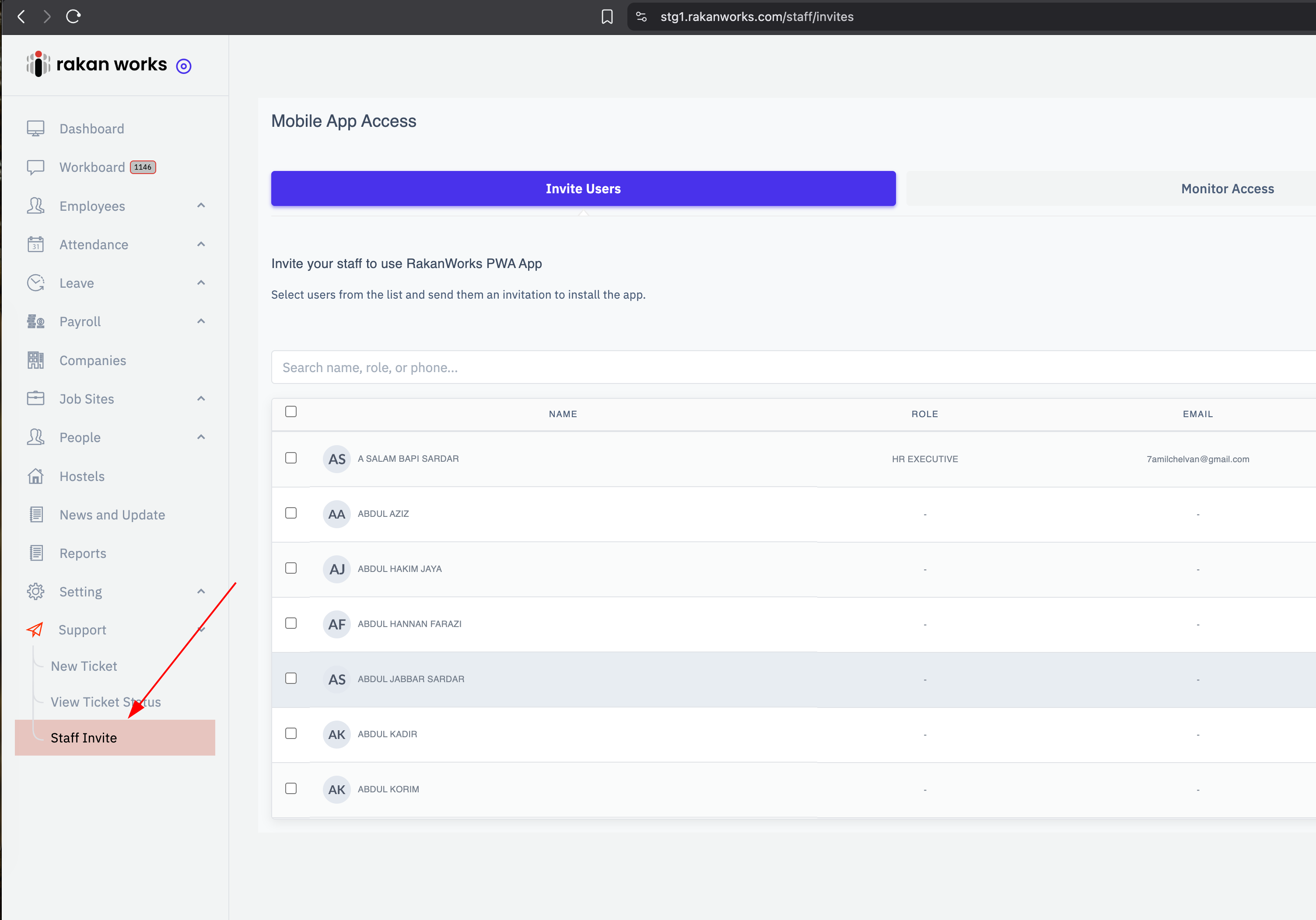
Open the menu Support => Staff Invite
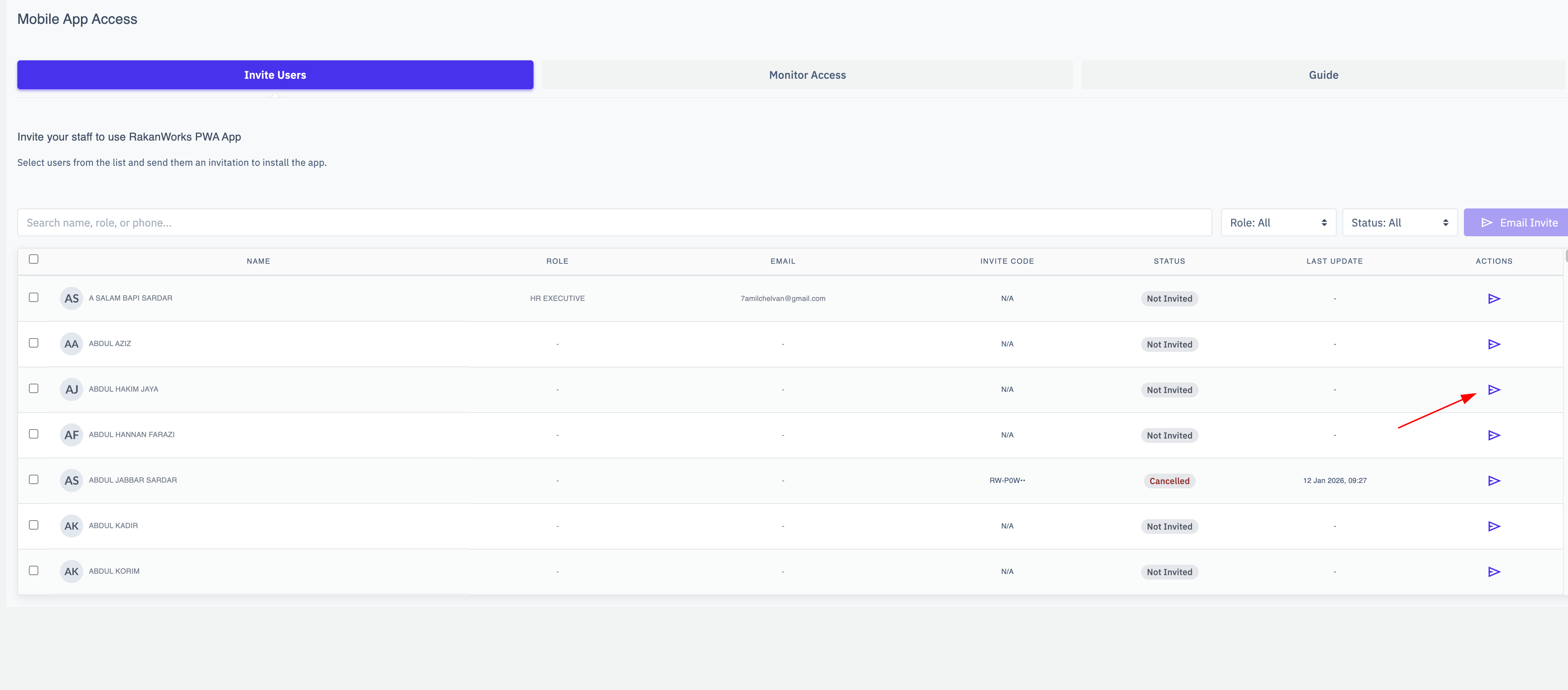
Press the send icon to create a new invite.
Then the invite detail will be appear.
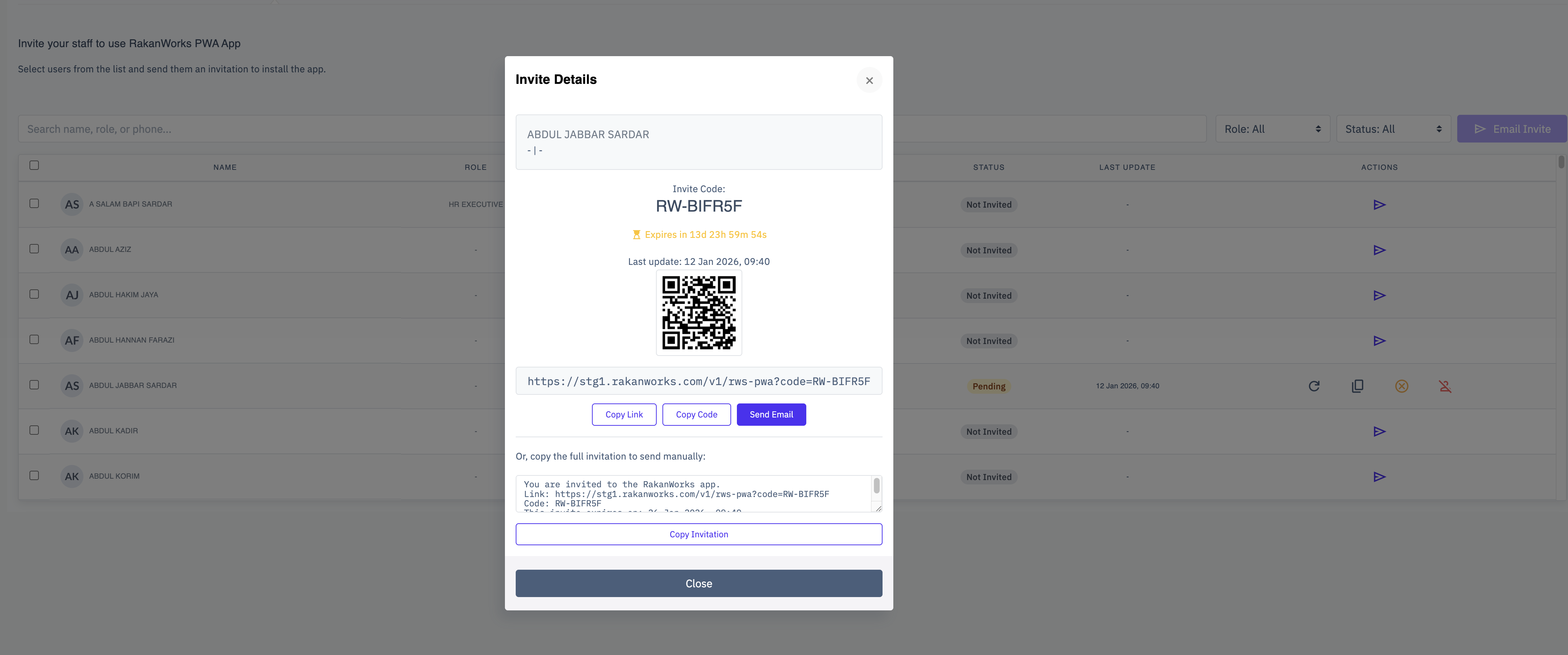
You can copy code, copy link or send an email
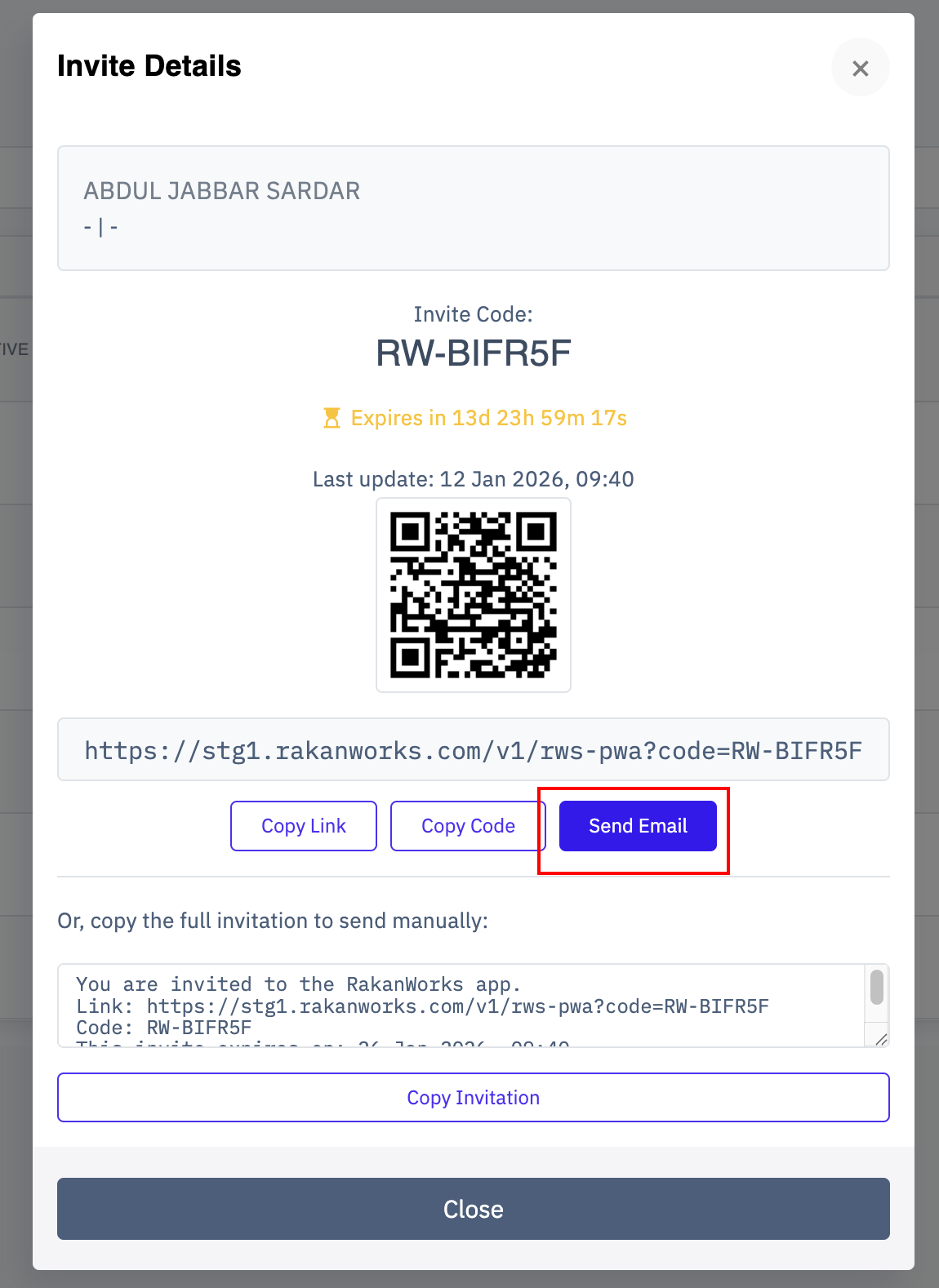
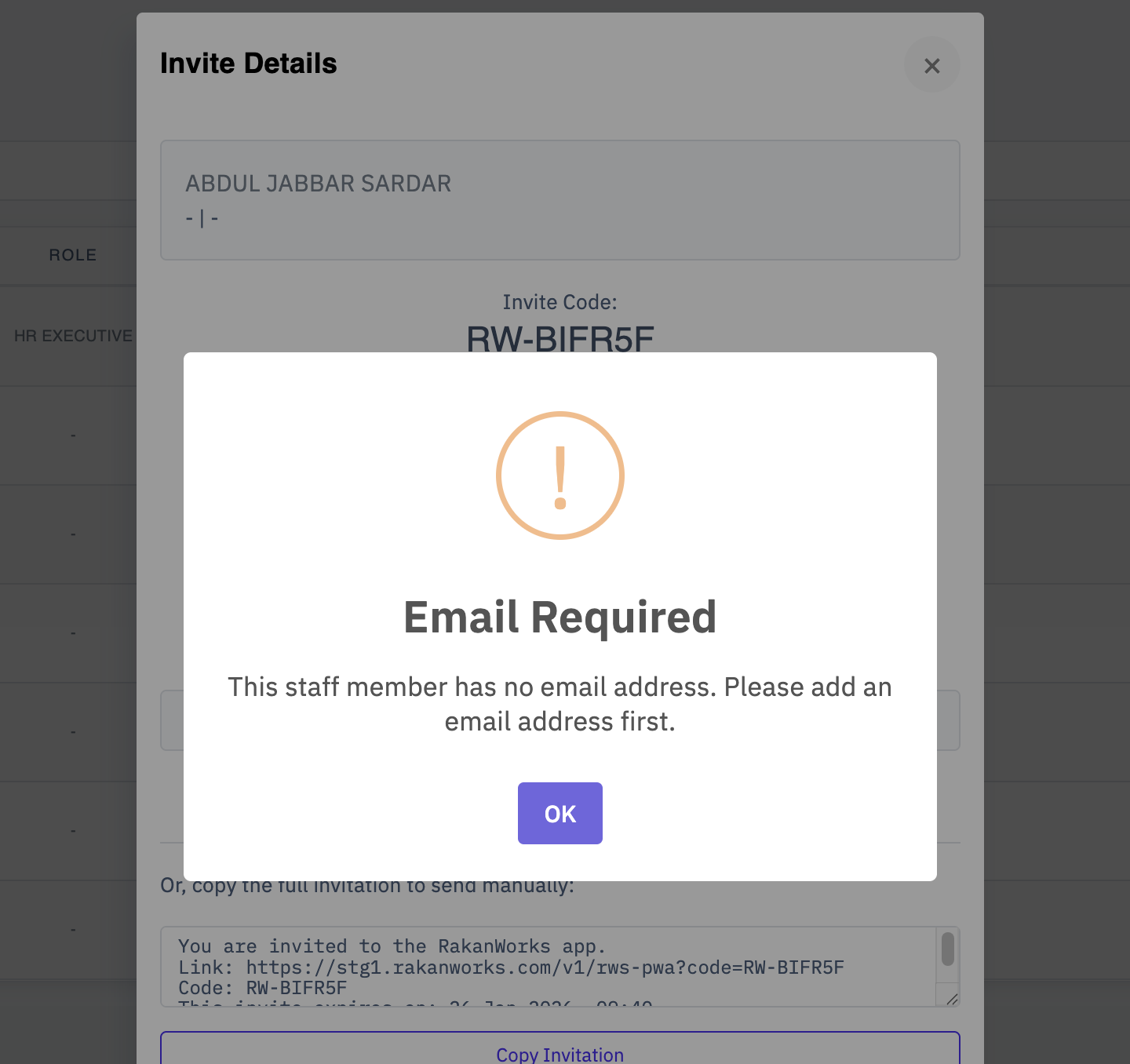
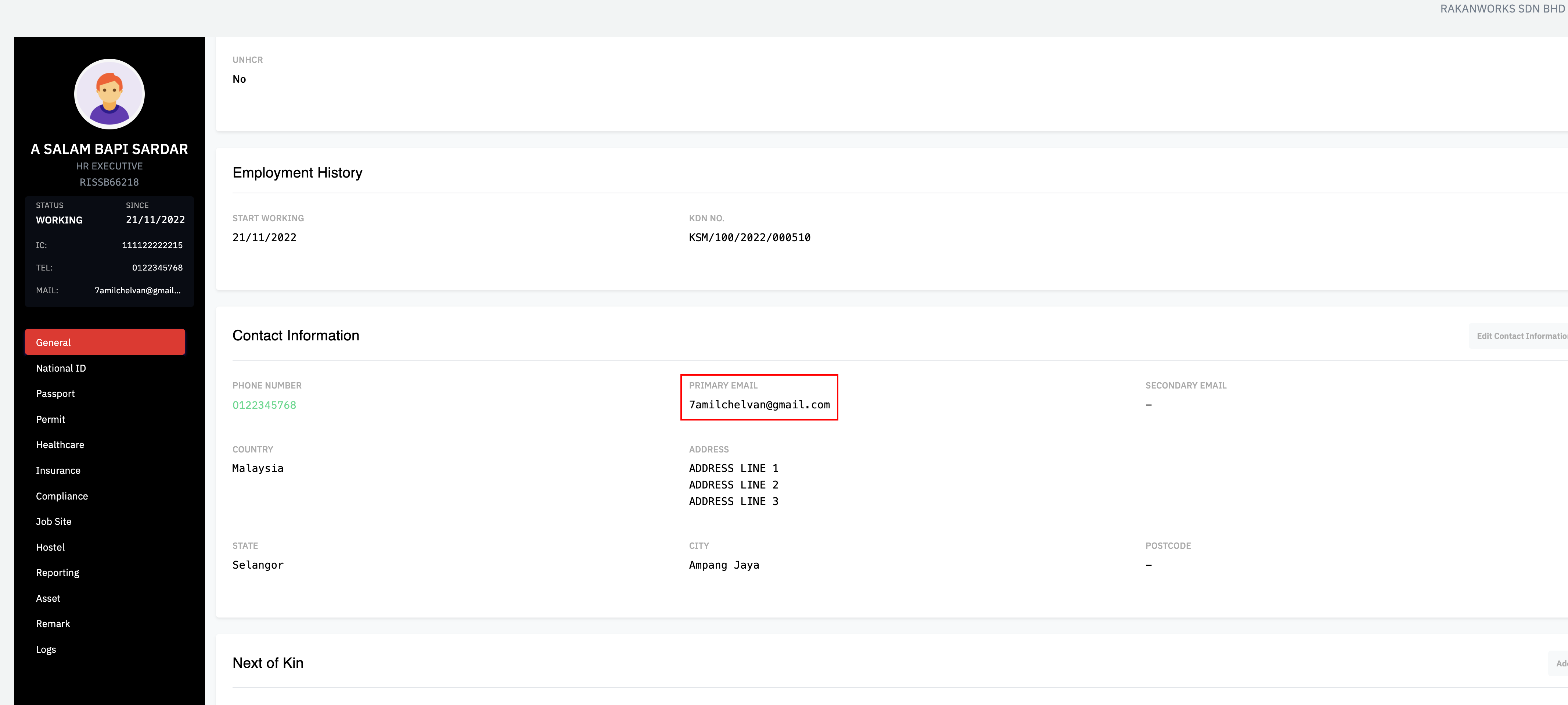
It might show a warning like below. Just make sure that employee have a email to send the invite mail when press Send Email
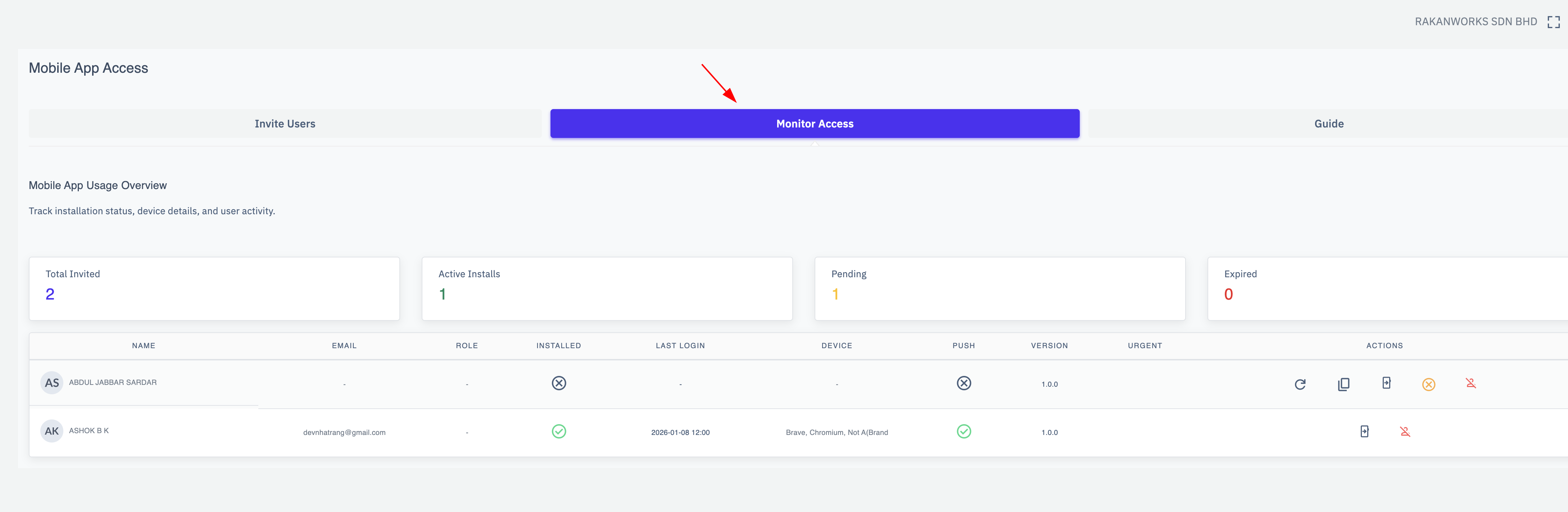
Open Monitor Access to manage all invited employees.
Was this article helpful?
That’s Great!
Thank you for your feedback
Sorry! We couldn't be helpful
Thank you for your feedback
Feedback sent
We appreciate your effort and will try to fix the article